Size / OS: 11.4 MB / Windows All

Jetaudio is an integrated multimedia software. Not only does it play various music files but also has other major features such as music CD burning, recording of music files, conversion to other file mode, etc.

In addition to these specialized features, you can create your own exclusive broadcasting system by connecting JetAudio to JetCast, which is provided to you along with JetAudio.

This version not only cleared some limitations of jetAudio but also added new features.

jetAudio has improved ID3 TAG, skin, MPC MOV and m3u playback to name a few and jetCast provides users with new options for Queue-up and Port-forwarding.

jetAudio Basic is definitely freeware so there's no MP3 and MP3 Pro encoding module. If you need these features, you can purchase jetAudio 6 Plus.

Here are some key features of "jetAudio":

· Supports All Major File Formats
· Audio CD burning
· Recording
· Visualization
· Various sound effects
· Speed Control
· Resume
· Synchronized Lyric (Karaoke)
· Alarm & Timer
· Equalizer
· Conversion
· Audio CD Ripping
· Internet Broadcasting
· Tag Editing
· Multi-channel sound ouput
· Crossfade
· Skin
· Subtitles
· CDDB
· Convenient album management & Playlist


Free Download
Image and video hosting by TinyPic

jetAudio 7.1.8.4006


REAPER 2.55


Size / OS: 3.4 MB / Windows All

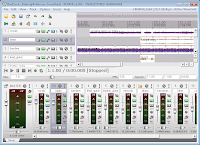
REAPER is a powerful but sensible Windows program that lets you record, edit, render and arrange multi-track waveform audio.

REAPER is a powerful but sensible Windows application designed for the recording, arrangement, editing, mixing and rendering of audio. REAPER provides a flexible but easy to use interface that is equally suited to amateurs and professionals alike.

REAPER versions 0.4-0.99 are freeware, but starting with version 1.0 the license will change to very reasonably priced (with amateur and professional rates/support) uncrippled nag-free shareware, supporting unexpiring full functionality in unregistered form.

Here are some key features of "REAPER":

Easy to use:
· Equally usable by hobby users and professionals alike. Simply drag and drop one of many kinds of files in to edit existing material, or insert a track and arm it for recording. No complex project settings or definitions are required.

Extremely small footprint:
· REAPER is full featured, but its installer is barely over 1 megabyte. It starts and closes fast, and is easily installed on new systems or on portable drives.

Fast and powerful editing facilities:
· Split, resize, fade/crossfade, pitch shift, timestretch, copy/paste and loop media items with ease. Ripple editing is available, too.

Unrivaled routing capabilities:
· Send tracks to any number of other tracks or hardware outputs, with lots of options (pre-fx, post-fx, independent faders, mono or stereo). Not interested in advanced routing? You don't have to use it (and it certainly won't get in the way.)

Powerful recording options:
· Supports pre-fx, post-fx recording, can record mixed output of multiple tracks, etc, supports switching record inputs/modes on the fly, input monitoring options (including tape-style auto input monitoring mode), supports auto-punch-in/punch-out, and more. If you want. Otherwise, it just behaves as you would expect.

Wide open compatibility:
· Sane, human readable, human editable project file format. Support for reading and writing many common file formats. Support for consolidating track edits and rendering track stems, to enable easy export for other applications. EDL import/export for Samplitude and Vegas.

MIDI support:
· Support for MIDI files, recording MIDI, and VSTi/DXi softsynths. MIDI can be integrated and mixed with audio.

Customizeable user interface:
· User arrangeable user interface with color themes: make REAPER look how you want it to look, and arrange (or hide) elements of the user interface to suit your needs.

Bundled Effects and 3rd party plug-in Support:
· Includes built in effects including a compressor, gate, FFT EQ, and some basic synthesizers, and includes many Jesusonic effects, and supports many plug-ins (including VST and DX plug-ins) with full plug-in delay compensation.

Requirements:

· Minimum system: 500mhz processor, 10MB free disk space, 800x600 in 256 colors or higher, Windows compatible sound hardware
· Recommended system: Multiple processors, >1GB free disk space, 1280x1024 in 16.7M colors, ASIO sound drivers


Free Download
Image and video hosting by TinyPic

REAPER 2.55

HyperSnap 6.40.04


Size / OS: 5.5 MB / Windows All

HyperSnap is the fastest and easiest way to take screen captures from Windows screen, and text capture (TextSnap) from places where normal text copy is not possible. HyperSnap combines the power of a first-class screen capture application with an advanced image editing utility - wrapped into one easy-to-use tool!

It's perfect for capturing images that you want to include in your Help system, online tutorials, manuals, training handouts, presentations, marketing materials, Web pages, emails and more. Use HyperSnap to quickly share a picture-perfect representation of anything on your screen.

HyperSnap is versatile and extremely easy-to-use. You can quickly customize menus and toolbars to fit your needs. Assign your own keyboard shortcuts, create instant toolbars, and even control HyperSnap with voice commands!


Free Download
Image and video hosting by TinyPic

HyperSnap 6.40.04


SpeedCommander 12.41.5610


Size / OS: 6.5 MB / Windows All

SpeedCommander is a comfortable file manager. It builds on the proven two window technology and offers a multitude of exclusive features. You will be able to copy, sort, move or erase your files using the keyboard or your mouse.

Here are some key features of "SpeedCommander":

Proven Two Window Technology:
· SpeedCommander displays files and folders in the proven two window technology - source and target of operations are therefore always visible. This ensures a higher productivity compared to Windows Explorer and an extremely fast navigation through files, folders and FTP sites.
· SpeedCommander will offer you many options for moving and copying files. Besides the usual deletion SpeedCommander has a secure deletion compliant to governmental standards. With the integrated Quick View SpeedCommander shows you the content of many file formats. Pictures, videos or music files - SpeedCommander gives you a fast overview for every kind of files. FileSync synchronizes folders, FileSearch finds files and folders on all data mediums.

Extensive Archive Support:
· SpeedCommander makes handling compressed files easy, because they are treated like ordinary folders. Experience direct support for many archive formats as well as compressing and decompressing them without the need for further software. Compression profiles can sum up settings and self-extracting archives make additional software superfluous. Recovery data offers protection against damaged archives.

Add-In Interface:
· SpeedCommander has a modern Add-In interface, so that additional plugins can be used, enhancing the original functionality. SpeedCommander communicates with the Add-In via the component object model (COM). An Add-In can add functionality in the menu or the toolbars. The Add-Ins also have full access to SpeedCommander's object model. They can open and alter folder windows, as well access their content.
· Add further file systems via the interface for file system Add-Ins into SpeedCommander. Use the WinCeFS Add-In to access PDA devices with ActiveSync. The WfxWrapper Add-In integrates the many file system plugins from Total Commander (wfx).

Macros:
· Simple tasks can be automated with macros. Macros can use the different objects of SpeedCommander too, also all script capable components (e.g. several shell objects) can be included. Edit macros easily with the integrated macro editor and check them for possible errors with a script debugger (like Visual Studio).

Enhanced FTP Functions:
· SpeedCommander supports various FTP types like FTP via SSH (SFTP) and SSL encrypted FTP. The user just needs to choose a protocol, everything else is done by Speedcommander in a transparent way. The support for proxies was expanded noticeably. SpeedCommander supports Socks 4/4a/5 and HTTP connections. The user can choose to compress directory listing and file transfers with MODE Z. Band width limiting keeps your line responsive, if required.


Size / OS: 45.6 MB / Windows XP / Vista

Ashampoo Photo Commander is the new Jack Of All Trades for sorting, optimizing, editing and controlling your digital photo collection.

Faster and more comfortable: view, organize and optimize your digital photos directly on the screen. You can create animated slide shows, burn them to CD or DVD or you can create a html website of it.

Ashampoo Photo Commander is a program that organizes and manages your photos.

Of course it's also no problem to rotate, to flip, to print or to send your pictures by e-mail to your friends and relatives. Create animated images, change the border design, create slide shows or use one of the many, lossless conversion features.

Whatever you wish to do with your images - there is no limit!

Here are some key features of "Ashampoo Photo Commander":

Photos:
· You can view, manage, correct red eyes, adjust the colors, display slide shows, burn DVD, create photo albums and publish on the web. You can also rotate, tilt, flip, resize and print your images, send them by email, create animated images, convert your images to other formats and take snapshots of your screen.

Videos:
· Ashampoo Photo Commander makes videos just as easy to manage as photos. They are displayed as thumbnail images and can be played directly in the program, supporting a huge number of video formats.

Audio files:
· You get all the functions of a good audio player without having to leave Photo Commander.

Supported formats:
· More than 50 graphics, video and audio formats are supported.

Other features:
· Ashampoo Photo Commander supports "skins". You can load different skins for a different look or even redesign its user interface yourself. It also supports plugins for handling additional file formats. A number of plugins are already available, including plugins for the the Canon RAW, Kodak Flashpix, HDR .dds, Industrial Light & Magic HDR .exr and Joint BiLevel .jbg formats.

Requirements:

· RAM and disk space: Min. 128 MB RAM, Hard Disk Space 25 MB


Size / OS: 18.9 MB / Windows All

A significant element of a powerful IDE is a programmer's editor or code editor. It serves as the core foundation of any IDE. UEStudio is built on the chassis of the renowned UltraEdit. As such, the program's backbone is highly seasoned, stable, and already proven as the defacto standard of text and programmer's editor

This app is a supercharged IDE and with new and exciting features such as native support for over 30 popular compilers, integrated CVS version control, built-in class browsing, language intelligence (like Intellisense), project converter, batch builder, and an integrated debugger to name just a few!

UEStudio is fast, lightweight, and powerful and offers any UltraEdit user advanced programming functionality at a fantastic value! Includes all the functionality of UltraEdit-32! Powerful Project/Solution support:
Visual Studio to UEStudio Project conversion Integrated
Compiler Support Integrated Debugger Support Integrated
CVS Support Integrated
Tag Support Project Manager
Project Templates (compiler specific)

Build functions:
Compile Build/Batch
Build Debug Run Applications
HTML Toolbar - PHP support: Run scripts Check Syntax Parse Document Strip Comments Highlight Source

Enhanced Workspace Manager:
ClassViewer Resource Editor

Integrated Tags Language Intelligence:
IntelliTips QuickTips Function Tips

Extended Toolbars:
Standard UltraEdit-32 Toolbar
Build Toolbar
HTML Toolbar
IntelliTips Toolbar
Resource Editor Toolbar
Tools Toolbar


Recent Comments

SHOPPING

  • Wrist Candy
  • Shoe Fetish
  • Sensible Inners
  • Branded Eye Gear